What Causes a Washing Machine to Display an Unbalanced Load Error?

An unbalanced-load warning usually isn’t a sign that the washer is broken. It often means the clothes have gathered on one side, so the washer pauses to limit hard shaking while the drum spins.
A single heavy item, tangled laundry, a load packed too tightly, or just a few small items can throw off the balance. The washer’s position matters too: an uneven floor or loose feet can make it wobble even with a well-spread load. Start by rearranging the clothes and checking that the machine sits firmly, then see what to do if the warning comes back.
Notice what the washer was doing when it paused
An unbalanced-load error means the clothes are gathered more on one side of the inner basket, the spinning part that holds the laundry. The washer may pause before or during the fast spin because uneven weight can make it shake hard or move across the floor. Pausing gives you a chance to spread out the clothes before the machine continues.
The timing can offer a clue. If the washer stops as it starts to spin, the load may have shifted when water drained away and the clothes became heavier or clumped together. If the error appears with different loads, even after you spread the clothes out, check that the washer sits firmly and evenly before assuming the machine needs repair.
Match the load to the kind of problem you see
One bulky item can be enough. A blanket, bath mat, heavy sweatshirt, or large towel can hold water and settle on one side. A single item may not balance well against the empty space around it, especially as the washer spins. Follow the care label and the washer manual when washing bulky items. Some items may need a different wash method or cycle.
Tangled clothes can bunch together. Sheets can wrap around smaller items, and long sleeves or pant legs can twist into a heavy knot. The load may have looked spread out at the start, then gathered on one side as it moved. Untangling the items and loosening the pile can help.
A packed load may not have room to move. If clothes are pressed tightly against one another, they may not spread around the basket during washing. A washer can also struggle to move a heavy, waterlogged load evenly. Remove some items if the basket is crowded, and check the manual for the washer's loading guidance.
A very small load can be uneven, too. A single pair of jeans or one small bundle may slide to one side instead of spreading around the basket. Add a few similar, washable items if the washer's instructions allow it. Don't add items that need a different care setting just to make the load larger.
Redistribute the clothes before restarting
Pause the cycle and wait for the washer to stop. Use the controls to pause or cancel the cycle as the manual directs. Keep your hands away from the basket while it is moving. If the lid or door is locked, don't force it open. Wait for it to unlock, or follow the manual's instructions.
Open the washer only when it is safe to do so. If water is high in the basket, the washer is still moving, or you see a leak, don't reach in. Follow the manual's directions for draining or unlocking the washer. If you can't open it safely, contact the manufacturer or a repair professional.
Loosen the pile and separate tangled items. Pull apart sheets, sleeves, and pant legs. Spread clothes around the basket rather than leaving a heavy bundle against one side. Don't pack everything down to make room.
Remove an item if the load is too large or bulky. Set aside a blanket or a few heavy pieces if they fill the basket or keep clumping together. Wash them separately only if the washer manual and each item's care label allow it.
Make a small load more balanced, if the instructions allow. Add a few similar items that can be washed on the same settings. If you have only one bulky item, don't add random laundry that could tangle or needs a different wash temperature or cycle.
Restart according to the washer's instructions. Some washers resume after you close the lid or door; others need you to select a cycle or clear the message first. Use the manual for your model instead of guessing at a button sequence. Stay nearby at first and listen for hard banging or watch for the washer moving.
If the washer spins without shaking and the error stays cleared, the clothes were likely the immediate cause. If the washer starts banging, walking, or showing the message again, pause it and don't keep restarting the same load.
Check that the washer sits firmly and evenly
A tilted or wobbly washer can make a balanced load seem off-balance. The washer should sit evenly, with all its feet resting firmly on a solid floor. A soft or uneven surface can also let the machine rock as the basket spins.
Look at the floor around the washer. Check for a loose mat, folded rug, debris, or anything trapped under a foot. Remove anything that could make the washer rock. Use the washer only on a surface allowed by the manual.
Press gently on opposite top corners. With the washer stopped, press down carefully on one corner and then another. If the machine rocks or one foot lifts, it isn't sitting firmly. Don't tip or lift a heavy washer by yourself.
Check the feet and the manual. Leveling legs are the adjustable feet under the washer. If the manual allows you to adjust them, follow its directions so each foot rests firmly on the floor. Keep fingers clear while making adjustments, and ask for help moving the machine if needed.
Look for signs the washer has shifted. A machine that has moved from its usual spot, has pulled on its hoses, or knocks against nearby cabinets needs attention before another spin. Don't tug the washer by its hoses or power cord.
After correcting a small wobble, run a suitable load according to the manual and stay nearby. If the washer still rocks, makes repeated hard knocks, or moves across the floor, stop the cycle. A repair professional can check the machine and its installation.
Stop the cycle instead of forcing it through
Repeated shaking can move the washer, pull on connected hoses, or knock nearby items over. Don't hold the washer in place while it spins, lean on it, or keep pressing restart to get past the warning. Pause the cycle and wait for the basket to stop before opening the washer or handling laundry.
Don't reach into a moving basket, bypass a lid or door lock, or remove a panel to look for a cause. If you see water leaking, smell something burning, hear harsh grinding, or notice a damaged cord or hose, stop using the washer. If you can safely reach the plug without stepping in water or touching damaged wiring, unplug it. Otherwise, leave it alone and get qualified help.
Check the manual before changing the load, adjusting the feet, or clearing the message. Washer designs differ, and the manual explains the safe way to pause, drain, unlock, and restart your model. If the instructions are missing, look up the manual through the washer maker using the model information on the machine.
Arrange repair if the warning keeps returning
Call for help if the error returns with a loose, balanced load. If different ordinary loads trigger the same message after you spread out the clothes, the issue may need model-specific troubleshooting. Tell the repair professional what the washer was washing and when the error appeared.
Stop using the washer if it shakes violently or walks. Repeated movement is not something to correct by holding the machine or running more cycles. Have the washer's position and condition checked before using it again.
Get help if the machine remains wobbly after a safe position check. A loose or uneven foot may be simple to correct, but a machine that still rocks or makes unusual noises needs further attention. Don't tilt a heavy washer or reach underneath it without the proper help and instructions.
Contact the manufacturer or a repair professional if you can't clear the message. The steps for clearing an error vary by washer. Share the message exactly as shown and describe any shaking, knocking, leaks, or trouble opening the door.
FAQs
Can one heavy item cause an unbalanced-load error?
Yes. A wet blanket, large towel, or other heavy item can collect on one side of the basket, especially if it has room to move alone. Follow the washer manual and the item's care label, and spread out or remove the item before restarting.
Could an uneven floor cause the error?
Yes. A washer that rocks because its feet don't rest firmly can shake during the spin and may pause with an error. Check for anything under the feet and follow the manual's directions for adjusting the washer's position.
Should I add clothes to a very small load?
Only if the washer instructions allow it and the added items can be washed together safely. A few similar pieces may help the load spread out, but adding an unrelated heavy or bulky item can make the balance worse.
What if the error appears again after I rearrange the clothes?
Pause the washer and check that the load is not tangled, packed tightly, or gathered on one side. If the washer is also sitting firmly and the warning returns with a balanced load, stop restarting it and contact the manufacturer or a repair professional for model-specific help.
Related guides: how to reset samsung top load washer after spin error and how to unlock top load washer after lid lock error and washing machine display errors.

10 Best Washing Machine For King Size Comforter of 2026 For Bulky Bedding
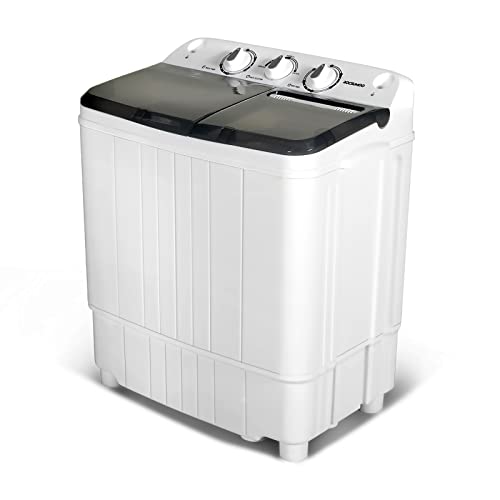
11 Best Semi Automatic Washing Machine Under 10000 of 2026 For Apartments and RVs

9 Best Compact Refrigerator For Beer Bottles of 2026 For Upright Bottle Fit

10 Best Quality Semi Automatic Washing Machine of 2026 For Leak-Free Laundry

11 Best Small Washer Machine of 2026 For Everyday Laundry

12 Best Vibration Pads For Washing Machine of 2026 To Stop Walking and Shaking
11 Best Selling Front Load Washing Machine of 2026 For Quiet Odor-Free Laundry

11 Best Washing Machine For King Size Bedding of 2026 To Prevent Cycle Errors