How to Reset and Clear Washing Machine Display Errors

Write down the flashing letters on the screen before touching any buttons. Washers freeze and blink these alerts as automatic safety shutoffs, usually because of everyday hiccups like bunched-up towels, closed water valves, or a small coin trapped in the drain. Most of the time, the machine is not broken at all, and a quick five-minute power reset gets everything running normally once that physical snag is resolved.
What you should do next depends on the type of alert showing, how the maker names each fault, and whether a tub full of soapy water is trapped inside. Different makers use completely different letter codes for the exact same issue, such as a slow drain or an unlatched lid. Here is how to translate the warning on your display, rescue your wet laundry safely, and clear the screen for good.
What do the warning letters on your screen mean?
Modern washing machines communicate through shorthand warning letters on the screen whenever something interrupts the cycle. While a blinking code accompanied by loud beeps can feel alarming, these messages rarely signal that the entire appliance is ruined. Instead, they act like a check-engine light, pointing to a specific physical barrier that stops the machine from working safely.
Most error codes fall into four basic categories across major brands. Water fill errors show up when the machine cannot pull in enough water to begin washing within its scheduled time limit. These often appear as codes like 4E, IE, or LF. When this happens, the washer computer brain (the internal electronic control board) is simply waiting for water that has not arrived, usually because of pinched hot and cold water supply hoses or closed water shutoff valves behind the machine.
Drain faults make up the second common group, frequently displaying as 5E, OE, or F21. In this situation, the machine detects that water remains in the tub long after the drain cycle started. The washer will refuse to spin with a tub full of water to prevent burning out the motor or flooding your floor.
Balance warnings, such as UE, ub, or uL, happen during high-speed spin routines. The off-balance safety sensor that pauses spinning and beeps when bulky towels or blankets bunch up on one side has been triggered to keep the drum from hitting the outer cabinet. Finally, door lock warnings like dE, dL, or FL mean the automatic lid lock has failed to latch, meaning the cycle cannot safely run.
How do you reset the washer to clear errors?
A sudden power flicker, an accidental button push, or an opened lid can confuse the washer computer brain and trigger a false warning code. Before you pull out tools or call for help, a complete electronic power reset clears temporary memory glitches and restores normal communication between the sensors and the screen. Follow these steps to perform a safe, clean reset.
- Press the power button on the front panel to turn the display off completely. If the screen is completely frozen and does not respond to your fingers, move straight to the power plug.
- Pull the power cord straight out of the standard 120-volt 3-prong grounded wall outlet. If your machine is pushed tight into a closet and you cannot safely reach the cord, switch off the dedicated circuit breaker in your home electrical panel instead.
- Leave the washing machine completely without power for a full five to ten minutes. This waiting period is critical because the small electrical storage parts (capacitors) inside the control board need time to drain all remaining electrical charge.
- While the machine rests, inspect the rear utility connections. Make sure you leave at least 4 to 6 inches of rear clearance so the hot and cold water supply hoses and the drain line are not pinched flat against the drywall.
- Plug the power cord firmly back into the wall outlet or flip the circuit breaker back to the on position. You should hear a short chime or click as power returns.
- Turn the machine on and choose a simple cycle, such as a spin-only setting or a quick rinse. Let the washer run for two minutes to confirm whether the warning code stays cleared.
How do you fix common drain and balance faults?
Drainage blockages and lopsided laundry bundles trigger more than half of all wash cycle shutdowns. Fortunately, resolving these issues requires simple physical adjustments rather than electrical repairs. Work through this checklist to clear the physical restrictions that keep your washer from spinning.
- Clean out the small cleanout trap at the bottom: Most front-load washers feature a small access door near the floor that conceals the drain pump filter. Lay a dry towel and a shallow baking sheet on the floor, twist the circular filter cap counterclockwise, and let trapped water escape. Pull out accumulated debris such as loose coins, bobby pins, lint chunks, and toothpicks that jam the pump impeller blades.
- Straighten the drain line: Check where the drain hose exits the rear of the cabinet. A built-in drain pump that pushes water up into a kitchen sink or standpipe cannot force water past a sharp bend or a kinked rubber elbow. If you use a portable unit, make sure the gravity drain hose lies completely flat across the floor drain so water drains naturally without backing up.
- Redistribute heavy fabrics: When washing dense items like heavy bath sheets, denim jeans, or comforters, fabric easily clumps against one wall of the stainless steel clothes tub or inner wash basket. Open the door and pull the tangled load apart. Spread the weight evenly around the center agitator post that twists clothes through the water, or place garments in balanced piles across the flat bottom wash plate (impeller) that moves laundry using water currents.
- Adjust the leveling legs: Push firmly down on alternating diagonal corners of the washer cabinet. If the machine rocks or wobbles even slightly on the floor, use an adjustable wrench to lower or raise the front leveling legs until the appliance sits completely level. Violent shaking on uneven legs routinely trips safety balance sensors.
- Switch to low-suds HE detergent: Standard soaps create heavy mounds of foam that confuse internal pressure sensors, mimicking a blocked drain line. Always measure your low-suds HE (High Efficiency) detergent accurately and avoid exceeding the normal fill mark, especially when washing lightly soiled loads.
Understanding machine design helps when tackling these issues, as whether you own a front load or top load washer directly dictates where your pump filter sits and how the tub handles heavy spin cycles.
How can you open a locked washer door safely?
Few things cause more immediate panic than hearing your washer beep with an error code while your wet clothes remain trapped behind a locked glass door. Forcing the handle with your hands or trying to pry the seam open with a flat screwdriver will quickly snap the brittle plastic latch assembly. Modern washers lock their doors using electrical solenoids and heat-activated wax motors designed to stay latched whenever water or high heat poses a danger.
Your first step is to let the locking mechanism cool down. Thermal door locks often take two to four minutes to release after power stops flowing. Turn off the machine, step away for five minutes, and listen for a distinct mechanical click from the door latch area. If the lock cools and no water remains in the tub, the handle will often release normally.
If the door stays locked, look through the glass to inspect the water level. Washers will refuse to unlock if standing water sits above the lower door gasket line. You must drain this water manually to trigger the door release switch. Open the lower front cleanout flap, place your catch tray underneath, and pull the small rubber drain tube next to the pump filter to drain the standing water completely.
Once the water is gone, check for an emergency door release cord. Many front-load washers conceal a small plastic pull-tab or nylon ring right beside the lower cleanout filter catch. Gently pulling down on this ring mechanically pulls the door latch hook back, letting the door swing open without applying any force to the outer handle.
Is it just a temporary glitch or a broken part?
Telling the difference between an everyday operational hiccup and a failed internal part saves you from scheduling an unnecessary service visit. Most errors are triggered by external factors like closed water valves, kinked hoses, or bunched laundry. Comparing the behavior of your machine against typical failure signs will help you decide whether to grab a wrench or call a technician.
A temporary glitch clears up immediately after a standard power reset or after you fix the physical problem. For example, if you straighten a kinked water line or balance a pile of towels, the washer will fill or spin smoothly through the rest of the cycle. The machine sounds normal, the tub turns freely by hand, and the display returns to its standard countdown timer.
A broken internal component behaves differently. If an error code flashes back on the screen within ten seconds of pressing start, before the machine even attempts to draw water or rotate the drum, an electrical sensor has likely failed. A burnt-out drain pump often emits a loud, rhythmic buzzing or humming noise while failing to move a single drop of water. Similarly, a failed water inlet valve may hum quietly while no water flows into the detergent tray, even when your household shutoff valves are turned wide open.
Safety always comes first during troubleshooting. If you notice a sharp burning plastic odor, observe water dripping near the rear electrical cord, or hear metal grinding loudly against metal, stop immediately. Disconnect the machine from the wall outlet and contact a qualified appliance repair specialist.
When should you replace the washer display board?
When physical troubleshooting checks out fine but your washer still acts erratically, the problem often traces back to the user control panel. If your machine refuses to register button presses, lights up random segments on the screen, or displays nonsensical letter combinations that do not match standard brand codes, the display board may have suffered an electrical failure. Replacing this interface restores communication between your fingertips and the washer computer brain.
Before purchasing a replacement display board, verify your washer's complete model and serial number. This information sits on a metal rating label located inside the door frame or on the upper rear panel. Never choose an electronic board based solely on how the buttons look in photographs. Manufacturers frequently alter internal wire harness connectors and software chips across different production years of the same visual design. Confirming exact part compatibility ensures your new display board connects cleanly and communicates properly with your machine.

- TAR Score8.8
TAR Score is a ranking system developed by TopAppliancesReviews.com. TAR score has no relationship or impact from any manufacturers or sales agent websites. Learn more
- BrandLXHMYNBGA
Last update on 2026-10-31 / Affiliate links / Images, Product Titles, and Product Highlights from Amazon Product Advertising API
FAQs
Why does the error come back right after clearing it?
An error code returns immediately when the underlying mechanical or sensor failure remains unresolved. If the machine detects that water shutoff valves remain closed, the drain hose is still blocked, or a wire harness has worked loose, the safety sensors immediately flag the hazard. Clearing the display screen only resets the visual warning, not the physical condition that caused it.
Can regular laundry detergent cause display error codes?
Yes, using standard high-sudsing soap or adding too much soap creates thick foam blankets that trap air inside the drum. These suds push into water level pressure tubes, tricking the machine into reading a drainage pump clog or an overflow hazard. When this occurs, the washer halts the cycle and displays a drain or suds warning code.
How long should you leave a washer unplugged to reset?
Leave the washer unplugged from the wall outlet for at least five to ten minutes. The machine contains electronic capacitors that hold reserve electrical energy to protect internal memory during brief brownouts. Waiting several minutes guarantees that all electrical current dissipates, allowing the control board to reboot from a clean state.
Will running a spin cycle help diagnose washer problems?
Selecting a drain and spin cycle is an effective way to test basic motor and pump operations without wasting water. If the machine drains the remaining liquid and reaches high speed without shaking violently, your water pump, motor, and balance sensors are working properly. This test helps isolate problems to the water filling valves rather than the drive system.

10 Best Washing Machine For King Size Comforter of 2026 For Bulky Bedding
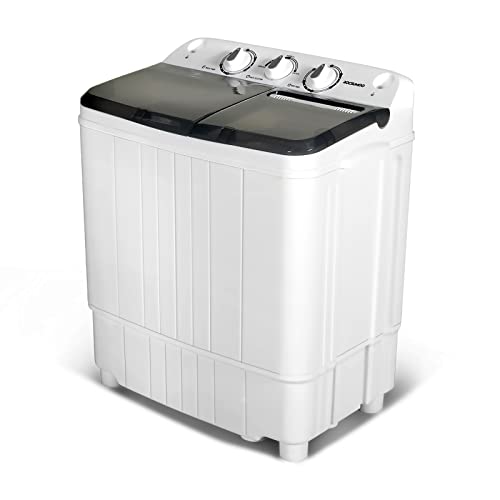
11 Best Semi Automatic Washing Machine Under 10000 of 2026 For Apartments and RVs

9 Best Compact Refrigerator For Beer Bottles of 2026 For Upright Bottle Fit

10 Best Quality Semi Automatic Washing Machine of 2026 For Leak-Free Laundry

11 Best Small Washer Machine of 2026 For Everyday Laundry

12 Best Vibration Pads For Washing Machine of 2026 To Stop Walking and Shaking
11 Best Selling Front Load Washing Machine of 2026 For Quiet Odor-Free Laundry

11 Best Washing Machine For King Size Bedding of 2026 To Prevent Cycle Errors