Why Won't Your Samsung Washing Machine Start a Cycle?

Press and hold the Start button for three full seconds instead of giving it a quick tap. Many modern washers require a sustained press to confirm a wash program, leaving the drum motionless if the button is only brushed. When that button does nothing, the cycle usually pauses because the door latch has not clicked shut or a control lock is actively freezing the panel.
What happens next depends on what shows across the screen, such as a glowing padlock symbol or two-letter warning codes like dC or dE. The issue can also stem from an accidental delay timer setting, water shutoff valves turned off in the back, or a temporary software glitch that clears with a simple reboot. Checking these common points in order will help pinpoint why the cycle refuses to engage.
The Three-Second Button Press and Panel Checks
Standing in your laundry room with clothes loaded, seeing the panel turn on, and getting no response when you press Start is frustrating. Unlike older washers with mechanical timers that start instantly with a knob pull, modern Samsung washing machines use digital touch controls that function differently. If you tap the Start or Pause button with a quick touch, the machine will not begin the cycle. The control board requires you to press and hold the Start button for three full seconds before it initiates operation.
This three-second press requirement is an intentional safety feature that prevents the washer from starting accidentally if someone brushes against the front panel while reaching for detergent. When you hold the button for three full seconds, a musical chime sounds, the display activates, and the control board sends power to lock the door. Tapping the button only prompts the washer to beep twice and sit idle in pause mode.
Another common panel issue involves the rotary cycle selector knob in the center of the console. This knob rotates smoothly across multiple settings. If the knob is bumped so the indicator rests between two cycle detents, the control board cannot determine which wash parameters you want. The panel stays lit, but the computer blocks the start signal until a specific cycle is selected.
Before looking for internal mechanical problems, run through this quick panel checklist:
- Press and hold the Start button firmly for three full seconds until you hear the confirmation chime.
- Rotate the cycle selector dial one click to make sure a cycle is squarely selected.
- Check the power button light to verify that the console is awake and not in sleep mode.
- Confirm you did not tap the Pause button by mistake immediately after pressing Start.
- Push the washer door or lid down firmly to verify that the mechanical catch engages the cabinet frame.
Once you hold the button for three seconds, give the machine a moment to begin its initial sensing routine. Modern washers do not immediately flood the stainless steel clothes tub with water. Instead, the motor will slowly rotate the drum while dry to measure load weight. This weighing routine takes between thirty and sixty seconds before the water valves open, so a brief silence right after pressing Start is completely normal.
Clearing Accidental Locks, Delay Timers, and Error Codes
If the Start button will not respond even when held down, an active control setting may be blocking it. Samsung washers feature Child Lock, which is a control lock (a setting that freezes the buttons) to keep children from altering cycles or starting the machine unsupervised. Homeowners frequently activate this setting by accident. Leaning against the front edge of the washer to reach supplies on an overhead shelf puts pressure against the touch panel, easily triggering the lock combination.
When the control lock is active, pressing any cycle button causes a double chime, and the cycle will not start. Look closely at the digital display screen. If Child Lock is active, you will see an icon shaped like a baby, a smiling lock symbol, or the warning letters "CL" or "LC". To turn off this lock, locate the two buttons on the panel with a small lock icon drawn between them, which are typically Temp and Rinse, or Spin and Soil. Press and hold both buttons down together for three full seconds until the lock icon disappears and the machine chimes.
Another setting that halts immediate operation is Delay Start (labeled Delay End on some models). This feature postpones the cycle so the wash finishes later. If accidentally touched, the display shows an hour countdown, such as 3H or 4H, alongside a clock icon. The washer will sit in silence waiting for that timer to expire. To cancel this delay, tap the Power button to turn the washer off, wait ten seconds, turn it back on, choose your cycle, and hold Start for three seconds.
Your washer may also display an error code (warning letters on the display screen) that prevents it from starting:
- dC, dE, dE1, or dE2: The door or lid switch has failed to confirm a closed door. The catch that clicks when the door shuts must register as locked before the cycle can begin.
- 4C, 4E, or nF: A no-fill condition where water cannot enter the stainless steel clothes tub within a set timeframe.
- Ub or UR: An unbalanced load. Modern machines with automatic load sensing features detect uneven weight and pause before starting or spinning to protect the suspension.
- SUD: Excessive soap foam in the tub. Using regular detergent instead of low-suds HE (High Efficiency) detergent creates thick suds that fool the pressure sensor and halt the cycle.
Resetting a Frozen Control Board With a Power Reboot
Modern washing machines rely on microprocessors housed inside an electronic control board. Just like a computer, smartphone, or router, this electronic control board can freeze due to minor power surges, electrical line noise, or rapid button presses. When the board freezes, the display may show normal numbers and cycle options, but the central processor fails to send electrical voltage to the door lock solenoid, drain pump, or water inlet valves. The machine stalls out, ignoring your commands.
Performing a hard reset (unplugging power to reboot the internal computer) clears temporary memory errors and forces the microprocessor to reboot fresh. Follow these steps to complete a power reset safely:
- Press the Power button on the front console to turn off the display lights completely.
- Unplug the power cord from the standard 120-volt 3-prong grounded wall outlet. If your washer is installed in a tight space or stacked beneath a dryer where you cannot reach the plug, switch off the dedicated circuit breaker in your home electrical panel.
- Leave the washer completely disconnected from power for five full minutes. The control board contains small capacitors that store electrical current, and they require several minutes to drain down to zero.
- While the machine remains unplugged, press and hold down the Power button on the front panel for five full seconds to dissipate any leftover micro-voltage trapped inside the electronic circuitry.
- Plug the power cord directly back into the wall outlet, avoiding extension cords or multi-outlet power strips.
- Press the Power button to turn the machine on, select a short program like a dedicated quick wash cycle without any clothes inside, and hold the Start button for three seconds to verify that the drum engages and fills.
If the glitch was caused by a software freeze or minor electrical spike, the machine will immediately click its door lock shut and begin filling with water. If the reset completes but the machine still refuses to respond, the issue is physical rather than digital.
Inspecting Door Latches, Water Valves, and Internal Hardware
When settings and power resets fail to resolve the issue, inspect the physical components that allow a cycle to run. The primary component to check is the door latch (the catch that clicks when the door shuts). Front-load washers use a door striker that inserts into a latch pocket on the cabinet. If the heavy glass door sags on its hinges over time, the striker hits the frame edge instead of seating firmly. If the internal safety switch does not register a closed connection, the washer will not lock or run.
Lint, pet hair, and dried detergent can also clog the latch cavity. Wipe down the striker and latch opening with a damp rag to clear away debris. On top-load models, the automatic lid lock drops a plastic pin into a strike plate on the lid. If bulky blankets or oversized towel loads are piled too high, they push up against the underside of the lid, keeping the lock pin from dropping into place. Rearrange the laundry so everything sits below the top rim of the stainless steel clothes tub.
Next, inspect the water supply. A washing machine will not begin washing if it cannot draw water. Trace the hot and cold water supply hoses from the back of the washer to the wall connection. Confirm that both water shutoff valves are turned completely counterclockwise to their fully open position. If a valve was closed during plumbing repairs or bumped by laundry baskets, the washer will hum quietly, detect zero water pressure, and abort the cycle. Also check that the supply hoses have four to six inches of rear clearance to prevent sharp kinks.
If the panel settings are correct, the door latches securely, and the water valves are fully open, the problem points to an internal component failure. Common hardware failures include a burned-out door lock motor, a defective water inlet solenoid valve that cannot open, or a failed drive motor inverter board. Always prioritize personal safety: if you smell burning electrical insulation, hear loud buzzing from the rear panel, or see persistent error codes, disconnect power immediately. Disassembling internal cabinets exposes you to dangerous high-voltage wiring, sharp metal edges, and water leaks. When internal parts fail, call a qualified appliance repair professional to inspect and replace the faulty hardware safely.
FAQs
Why is my Samsung washer beeping twice and not starting?
A double beep typically means the washer detects an unlatched door, an active control lock, or that the Start button was tapped too quickly. Make sure the door is pressed shut until the latch clicks, and confirm that the child lock icon is not illuminated on the screen. Always press and hold the Start button for three full seconds rather than tapping it.
Can a clogged drain filter stop a Samsung washer from starting a new cycle?
Yes, especially on front-load washing machines. Before a new cycle introduces clean water, the control board briefly runs the drain pump to clear any leftover water from the tub. If the lower pump filter catch is jammed with coins, lint, or debris, the machine senses trapped water and halts the cycle before it can start.
How do I know if the door latch switch is broken instead of just dirty?
Wipe the door latch and striker clean with a warm, damp cloth and ensure no clothing is caught in the door frame. If the door closes completely flush but you hear no electrical clicking sound and the screen continues to show a dC or dE error code, the internal door switch or locking solenoid has failed and needs replacement.
Related guides: samsung washer wont drain.

10 Best Washing Machine For King Size Comforter of 2026 For Bulky Bedding
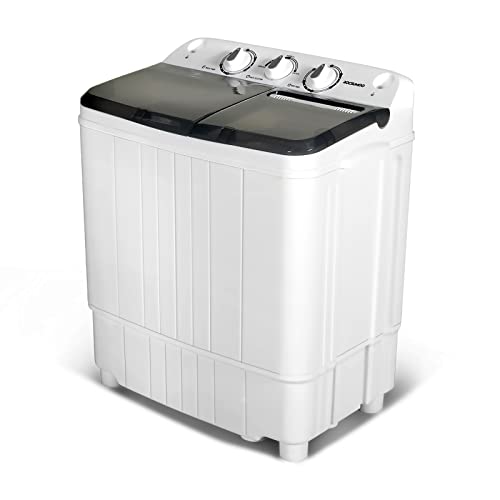
11 Best Semi Automatic Washing Machine Under 10000 of 2026 For Apartments and RVs

9 Best Compact Refrigerator For Beer Bottles of 2026 For Upright Bottle Fit

10 Best Quality Semi Automatic Washing Machine of 2026 For Leak-Free Laundry

11 Best Small Washer Machine of 2026 For Everyday Laundry

12 Best Vibration Pads For Washing Machine of 2026 To Stop Walking and Shaking
11 Best Selling Front Load Washing Machine of 2026 For Quiet Odor-Free Laundry

11 Best Washing Machine For King Size Bedding of 2026 To Prevent Cycle Errors