How to Use the Whetstone Knife in Elden Ring?

Walk over to the nearest Site of Grace (the glowing golden resting checkpoint) and sit down. Sitting down is all it takes because the Whetstone Knife works as a permanent menu unlock rather than an item you trigger from your inventory bag. Once it sits in your pack, it silently adds a brand-new Ashes of War option to every resting spot. Choosing that option allows you to equip swappable weapon skills and adjust how your gear deals damage without visiting a blacksmith.
A few basic rules decide what you can change. You must carry at least one loose skill in your pack, or the menu shows nothing to equip. The system also separates your gear into two camps: standard armaments welcome these upgrades, while unique boss weapons carry fixed skills that cannot be altered. Here is a simple walk-through of the rest screen so you can customize your favorite blades right away.
What does the Whetstone Knife actually do?
You open your inventory, scroll to the Key Items tab, highlight the Whetstone Knife, and find the "Use" option grayed out. Nothing happens when you select it, and the game gives no prompt explaining why. Many players worry their save file is bugged, or they assume they need a special workbench to activate it. In reality, the item is working exactly as intended.
The name causes most of this confusion. In the kitchen, people use sharpening stones on tools like high-carbon Japanese chef knife sets to grind down worn metal and restore a clean cutting bevel. Because of that real-world habit, you might expect this knife to restore lost durability or sharpen dull blades. But Elden Ring weapons never lose sharpness, break, or wear down. You never need to sharpen any blade in the Lands Between.
The Whetstone Knife is not a consumable item or a manual sharpening tool. It is a permanent key item that functions like a key card for your menus. The moment you open the chest in the Gatefront Ruins cellar and pick it up, the knife unlocks a permanent feature for your entire playthrough. You never have to activate, sharpen, or swing it yourself.
Collecting the knife grants you two major abilities. First, it lets you attach Ashes of War (swappable weapon skills) to your gear whenever you rest. Second, it lets you adjust the Affinity (damage stat type) of that weapon, shifting how its damage scales with stats like Strength or Dexterity. The item stays in your bag simply to mark that you unlocked the system.
How do you use the knife to change skills?
Because you cannot activate the knife from your bag, you must interact with the game world to open its menu. You make all weapon adjustments at a Site of Grace (a resting checkpoint glowing with golden light). Swapping abilities takes only a few seconds once you know the routine.
- Rest at a checkpoint: Walk up to any discovered Site of Grace (a resting checkpoint) and sit down. You cannot open this menu while running through fields, riding your horse, or fighting enemies.
- Select the Ashes of War menu: Look down the resting menu list. You will see an entry titled "Ashes of War" right beneath your flask choices. This option stays hidden until you pick up the Whetstone Knife.
- Choose your weapon: Click on the Ashes of War option to open your gear grid. Select the standard sword, axe, spear, or shield you want to customize.
- Pick your new skill: A secondary menu displays all the Ashes of War (swappable weapon skills) in your bag that fit that weapon type. Highlight the skill you want, such as a heavy stomp or a quick dash.
- Choose your damage stat type: The screen prompts you to assign an Affinity (damage stat type). The basic knife lets you pick Standard, Heavy (boosts Strength scaling), Keen (boosts Dexterity scaling), or Quality (balances Strength and Dexterity).
- Confirm and exit: Press confirm to lock in your choice. Leave the resting menu, draw your weapon, and press your skill button (L2 on PlayStation, LT on Xbox, or Shift plus right-click on PC) to check your new move.
Notice how your weapon name changes on your equipment screen after you confirm. If you attach a skill with a Heavy affinity to an ordinary broadsword, the label changes to "Heavy Broadsword." The game provides this label so you always know what skill and stat tuning your blade carries.
Why are some weapons missing from the skill menu?
You might sit at a checkpoint, open the Ashes of War screen, and notice your favorite weapon is missing from the grid. This does not mean your game is broken. Elden Ring divides weapons into two strict groups, and the Whetstone Knife only works on one of them.
Here is a quick checklist to verify why a weapon might not accept new skills:
- Check if the weapon is a unique boss blade: Any weapon upgraded with Somber Smithing Stones counts as a somber weapon (a unique boss blade or rare relic). Early-game favorites like the Bloodhound's Fang and the Reduvia dagger belong to this group. These weapons feature fixed skills that cannot be replaced or given new affinities.
- Check weapon category restrictions: Each Ash of War fits specific weapon types. You can place thrusting skills on rapiers and spears, but not on blunt clubs or curved greatswords. If your weapon cannot physically perform the animation, the skill will not appear.
- Check for loose skills in your bag: The knife does not create skills on its own. It only equips skills you have collected. If you have not defeated teardrop scarabs (glowing beetles rolling balls of light) or bought skills from Warmaster Bernahl, your skill list will sit empty.
- Check bows, crossbows, and spell tools: Bows, crossbows, glintstone staves, and sacred seals follow special rules. While a few skills fit light bows, most ranged weapons and spell casting tools cannot accept standard melee skills.
If you want to use the knife early in your journey, pick up an ordinary armament. Weapons like the Longsword, Broadsword, Uchigatana, Claymore, or basic iron shields upgrade with regular Smithing Stones and let you swap skills whenever you like.
Do you lose an Ash of War after using it?
Many players hesitate to equip weapon skills because other fantasy games treat skill items like single-use scrolls. You might worry that attaching a rare skill to a starter sword will consume the item forever, locking you out of using it on a better blade later. That fear causes many adventurers to leave great abilities sitting unused in their bags.
Ashes of War (swappable weapon skills) are permanent and infinitely reusable. When you attach a skill to an iron sword, it does not vanish. It simply rests on that blade. If you find a better spear later, you can sit at a resting checkpoint, remove the skill from the sword, and place it on your spear.
Removing an Ash of War costs nothing. You do not spend runes, you lose no crafting materials, and your weapon suffers no damage. Selecting "Undo Enhancement" in the menu returns the weapon to its default state. The loose skill returns to your inventory immediately, ready for another piece of gear.
The only limitation is that one skill item can only sit on one weapon at a time. If you want to dual-wield two matching katanas with the exact same skill, you need a duplicate. You can duplicate skills by bringing Lost Ashes of War to Smithing Master Hewg at the Roundtable Hold hub.
Why can you only choose basic affinities right now?
When modifying a weapon, the menu prompts you to select an Affinity (damage stat type). With only the starter Whetstone Knife, your choices are limited to Standard, Heavy, Keen, and Quality. You might wonder why you cannot pick elemental options like Fire, Lightning, Magic, or Holy.
The starter Whetstone Knife is only the first of several sharpening tools hidden across the map. The base knife handles physical scaling, while five specialty whetblades found in later regions unlock elemental affinities. For example, the Iron Whetblade in Stormveil Castle adds physical options, while the Glintstone Whetblade in Raya Lucaria Academy unlocks Magic and Cold damage.
Until you find those advanced whetblades, elemental damage depends on the specific Ash of War you equip. Equipping a holy skill like Sacred Blade lets you pick the Sacred affinity because that skill brings holy power with it. But you cannot apply a Holy affinity to a physical skill like Stamp until you find the Sanctified Whetblade.
Matching your affinity to your character build is critical for good damage. If your warrior has high Strength and low Dexterity, choosing the Heavy affinity boosts your Strength scaling for much higher attack power. Choosing Keen would lower your damage because Keen scales with Dexterity. Always check the attack rating preview before confirming your choice.
FAQs
Where do you find the Whetstone Knife if you missed it?
The knife sits in the Gatefront Ruins, just north of the Church of Elleh in Limgrave. Head to the eastern side of the soldier camp and find a stone staircase leading down into a dark cellar. Open the door at the bottom to find a chest holding the knife and the Storm Stomp skill.
Can you use Ashes of War without resting at a grace?
Early in the game, resting at a Site of Grace (a resting checkpoint) is the only way to manage your skills. Once you unlock the Roundtable Hold hub, you can also speak with Smithing Master Hewg. He provides an Ashes of War option that works without sitting at an outdoor checkpoint.
Does changing an Ash of War reset your weapon upgrade level?
Swapping skills or affinities never resets or lowers your weapon upgrade level. A broadsword reinforced to +5 stays at +5 whether you attach a skill, remove it, or switch affinities. Upgrades made with standard Smithing Stones remain permanent regardless of how many times you swap skills.
Can shields also use the Whetstone Knife system?
Shields appear in the same customization menu as swords and axes. You can equip skills like Parry to deflect attacks or Barricade Shield to reduce stamina loss while blocking. You can also assign the No Skill ash to your shield so your right-hand weapon skill activates immediately without two-handing.


Top Best Quiet Portable Generator Electric Start 2026 - (2026 Updated)

The 10 Best Portable Power Station For Tailgating 2026
10 Best Washing Machine For King Size Comforter of 2026 For Bulky Bedding
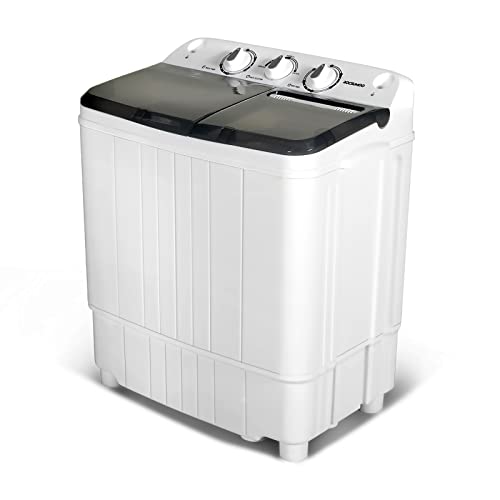
11 Best Semi Automatic Washing Machine Under 10000 of 2026 For Apartments and RVs

The Best Concrete Floor Buffer 2026 - Top Choices

Best Cooling Fan with HEPA Filter: Our 2026 Top Picks for Cleaner Air
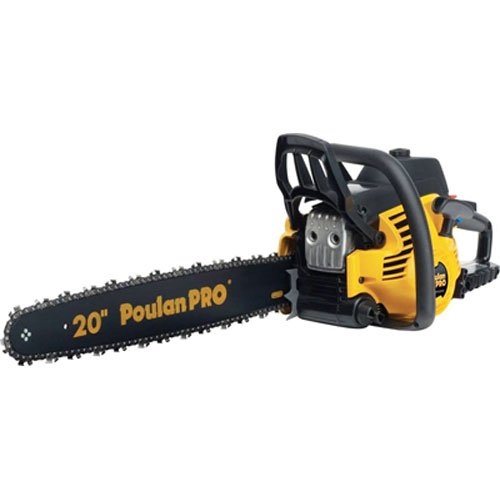
Best poulan chainsaw 2026 - Reviews & Buying Guides

Value Picks: 10 Vitamix 5300 Best Price of 2026