How to Use the Knife in Black Ops 6

An enemy rounds a tight hallway corner, and a quick tap of the attack button produces a dull thud as the rifle frame clatters harmlessly against body armor. Getting that reliable one-hit elimination requires players to hold down the melee button to pull the knife out as an active weapon. A quick press only swings the stock of your firearm, but holding that input down places the combat blade directly into your hands for lethal slashes and faster sprinting.
The exact controls change depending on your setup, since pressing the right thumbstick on a controller feels quite different from holding a dedicated keyboard key. You also need to confirm the blade is equipped in your loadout melee slot before jumping into a match. Position matters just as much, because attacking an opponent from behind triggers an instant takedown instead of a standard frontal slice. The steps below show you how to draw your blade and land every strike cleanly.
Why do you hit with your gun instead of knifing?
Hitting an opponent with the frame of your firearm instead of your blade is the most common mistake in close-range combat. In Call of Duty: Black Ops 6, this action is known as a gun-butt. When you quickly tap your melee button while holding a rifle, shotgun, or pistol, your character swings the heavy frame of that firearm. While this gun-butt strike comes out quickly, it deals very low damage. In standard multiplayer matches where players have 100 points of health, a gun-butt strike only removes a fraction of that health bar. You must strike an enemy two or three times with your gun stock to score an elimination, which gives your opponent plenty of time to shoot back and eliminate you first.
The combat knife functions under an entirely different control mechanic. To put the knife directly into your hands, you must press and hold down the melee button rather than tapping it. Holding the button signals the game to holster your primary or secondary firearm and pull your dedicated blade into an active combat stance. Once the knife is fully drawn and held in your hands, every basic attack becomes a lethal slash that eliminates standard multiplayer enemies in a single strike.
To draw your knife cleanly without accidentally performing a weak gun-butt strike, follow these steps during a match:
- Find a safe piece of low cover or break line of sight so enemy gunfire cannot reach you while your hands are busy swapping weapons.
- Press down your platform melee input and keep it held down firmly for about half a second.
- Watch the bottom right corner of your heads-up display as your character drops the barrel of your gun and pulls the combat knife forward.
- Release the input once you see the blade model resting in front of your character on screen.
- Use your primary fire button or your melee button to slash targets with a single, lethal strike.
Panic-tapping is the main reason players lose close-range brawls. When an enemy surprises you around a blind corner, your natural reaction is to mash the melee button as fast as possible. Mashing the button simply queues up repeated gun-butt strikes. Train your thumbs to hold the button down with steady pressure the moment you anticipate entering a tight room or a narrow hallway.
Which buttons draw the knife on controller and PC?
The exact button required to equip and swing your combat knife depends on your gaming system and your chosen button layout. Every gaming platform gives you a default setting, but changing that setting can make pulling your blade much faster during chaotic firefights.
On PlayStation consoles, the default melee input is pressing down on the right analog thumbstick (R3). Tapping R3 swings the butt of your gun, while pressing and holding R3 for half a second draws the combat knife into your hands. If you use the Tactical controller layout, your melee input moves to the Circle button because the right thumbstick is reassigned to crouching, sliding, and diving. Players who use Tactical must press and hold Circle to draw the blade, which requires taking your thumb off the aiming stick for a brief moment unless you play with a claw grip or rear controller paddles.
On Xbox consoles, the default melee command is clicking the right thumbstick (RS). Just like on PlayStation, a rapid click triggers a gun strike, while holding the thumbstick inward draws the knife. If you switch to the Tactical preset, melee shifts to the B button. Holding B equips the blade. If your controller features rear mapped paddles, binding your melee button to an underside paddle allows you to hold the melee input while keeping both thumbs firmly on the movement and aiming sticks.
On PC with a mouse and keyboard, the melee input defaults to the V key or the E key depending on your specific installation settings. Holding down that keyboard key draws your knife. But PC players have a huge structural advantage: the keyboard settings menu includes an option for a dedicated melee weapon slot. Instead of holding down a key and waiting through a brief input delay, you can bind a single key (such as the 3 key or a side thumb button on your gaming mouse) to pull the knife out instantly with a single tap. Once the blade is in your hands on PC, pressing Left Click delivers your standard slash.
How do you equip the knife in your loadout?
Black Ops 6 handles hand-to-hand weapons differently than older games in the series. In previous titles, taking a knife meant sacrificing your secondary pistol or rocket launcher. Black Ops 6 features a dedicated melee slot, which is a permanent equipment space reserved strictly for hand weapons. This means you can carry a primary assault rifle, a secondary pistol, and a combat knife all at the same time without using special wildcards.
To verify that your knife is ready for action before searching for a match, walk through this quick setup checklist in the lobby:
- Navigate to the Weapons tab at the top of the main multiplayer menu screen.
- Open the Create-a-Class menu and choose the custom loadout you plan to use in your next match.
- Look across your weapon slots to locate the third weapon box positioned to the far right of your Primary and Secondary weapons.
- Select this Dedicated Melee slot to open the melee weapon selection screen.
- Highlight the Combat Knife and press your equip button to lock it into your loadout.
- Check your weapon appearance menu if you wish to apply custom camos or blueprints to your blade.
If you leave this slot empty or set to basic fists, holding your melee button will not give you a blade. Unarmed fists require multiple hits to eliminate an opponent, leaving you at the same disadvantage as a gun-butt strike. Always confirm that your combat knife is actively slotted into that third weapon space across every custom class you build.
How do one-hit eliminations and takedowns work?
Once your combat knife is actively held in your hands, your attack mechanics change completely. Tapping your primary fire button (Right Trigger on controllers, Left Click on mice) or tapping your melee button delivers an immediate slash. In core multiplayer modes, this slash instantly eliminates an opponent at full health. The game uses a brief targeting window called lunge, which pulls your character forward a few inches if an enemy is standing directly inside your strike zone. If the enemy is even an inch beyond that reach, your soldier will slice thin air, leaving you exposed to return fire.
A takedown is a sneak elimination performed from behind an unaware enemy. When you pull off a takedown, your camera pulls back into a third-person view while your soldier executes an unavoidable finishing animation. This eliminates the opponent regardless of their armor plates or current health level.
To execute a behind-the-back takedown, follow these rules:
- Approach an enemy from behind without making loud sprinting noise.
- Close the distance until you are within arm's reach of their back shoulders.
- Press and hold your melee button rather than tapping it.
- Keep the button held until your camera shifts angles and the takedown animation locks in.
While finishing moves look impressive, they carry real tactical danger. You cannot move, defend yourself, or cancel the sequence while the animation plays out. If one of your target's teammates spots you during the animation, they can shoot and eliminate you before your blade finishes the job. If you die before the animation completes, your target survives and walks away unharmed. If you are surrounded by multiple enemies, simply tap your attack button to perform a standard one-hit slash from behind. A standard slash eliminates the enemy instantly and keeps your character moving without any animation lock.
How do you close distance and run faster with knives?
The greatest hidden benefit of the combat knife is mobility. Carrying large primary firearms, like light machine guns or sniper rifles, significantly weighs down your character and lowers your top sprint speed. The combat knife gives your character the highest base running speed and tactical sprint duration available in the game. Swapping to your knife while rotating across the map lets you reach capture zones and defensive positions much faster than players carrying rifles.
Black Ops 6 features omnimovement, an athletic movement system that allows your character to sprint, slide, and dive in any direction, including sideways and backward. You can combine knife speed with omnimovement to become an elusive target. Instead of running directly at an enemy who is aiming down sights, sprint diagonally, slide past their field of view, or dive behind low barricades to force them to miss their shots. When diving backward or sideways, your character enters a supine prone position, allowing you to slash an enemy's ankles if they try to jump over you.
To stay alive long enough to land your slashes, use this movement plan:
- Never sprint across open fields or long sniper alleys where your blade cannot reach targets before bullets eliminate you.
- Stick to interior corridors, underground tunnels, stairwells, and cluttered rooms where close-quarters combat is forced.
- Equip Smoke Grenades in your tactical gear slot to drop a thick visual barrier across wide doorways, letting you cross open areas safely.
- Equip Stim shots to instantly heal incoming bullet hits and immediately refresh your tactical sprint meter while chasing down a runner.
- Pick perks that support speed and stealth, such as Ninja to silence your footstep audio and Double Time to extend your sprint duration.
Pay close attention to your mini-map and listen for enemy weapon fire. Flanking around the outer edges of the map allows you to come up behind enemy squads while they are busy firing down central lanes. When you catch an enemy team looking the other way, your high knife speed lets you sprint from target to target, taking down two or three opponents before anyone realizes you are behind them.
FAQs
Why did my knife strike miss even when standing right next to an enemy?
Melee strikes miss when your crosshairs drift off the center of the enemy's body during the swing animation. The combat knife requires you to face your target directly to trigger the magnetic forward lunge. If the enemy jumps, slides, or moves laterally across your screen while you swing, your knife will slash the empty space beside them. Keep your aiming stick or mouse locked on their chest throughout the strike.
Can you throw the combat knife in Black Ops 6?
No, the standard combat knife held in your dedicated melee slot cannot be thrown. To throw a blade across a room, you must equip the Combat Axe (often called a throwing knife in prior titles) in your lethal equipment slot. You throw the axe by pressing your lethal grenade button, and you can retrieve it from the floor or fallen targets after a throw.
Does holding a knife keep you off enemy radar?
Holding a knife prevents you from showing up on the radar as a red dot because melee strikes make no gunfire noise. But holding a blade does not hide you from enemy Spy Planes or UAV sweeps. To stay completely invisible on enemy radar while moving with your knife, you must also equip the Ghost perk in your custom class.
What perks help you survive while using a knife?
The best setup uses three Red perks to unlock the Enforcer Combat Specialty. Combining perks like Assassin, Bruiser, and Double Time grants the Enforcer bonus, which gives you an immediate temporary speed boost and starts instant health regeneration every time you score a melee elimination. This speed and healing boost allows you to sprint directly to your next target without waiting for your health to slowly recharge.

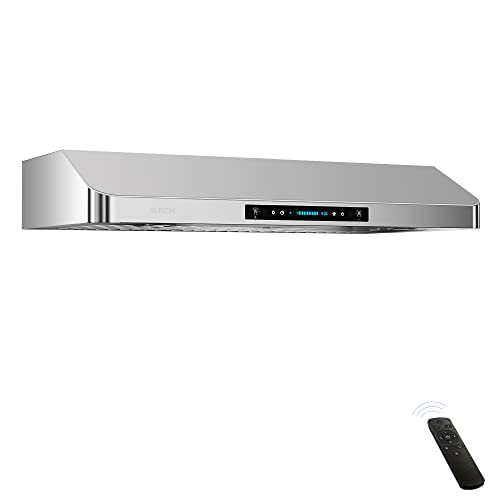
Top Rated Best Quality Range Hoods: 2026 Expert Picks
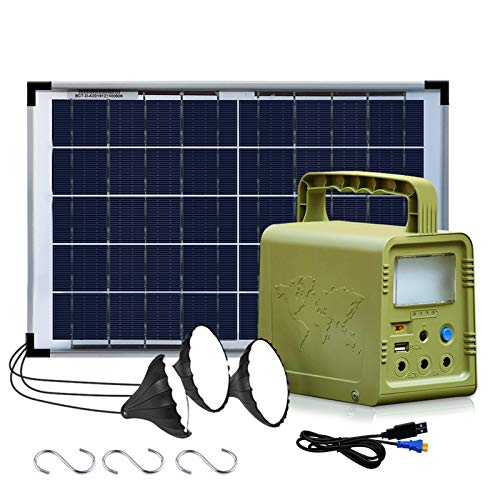
The 12 Best Small Solar Generators 2026

10 Best Quality Semi Automatic Washing Machine of 2026 For Leak-Free Laundry

11 Best Small Washer Machine of 2026 For Everyday Laundry

12 Best Vibration Pads For Washing Machine of 2026 To Stop Walking and Shaking
11 Best Selling Front Load Washing Machine of 2026 For Quiet Odor-Free Laundry

11 Best Washing Machine For King Size Bedding of 2026 To Prevent Cycle Errors

10 Best Small Front Loader Washing Machine of 2026 For Tight Closets